Find -delete: Preview Files and Check What Remains
One find -delete command printed five filenames and removed the entire test tree, including files it never printed. Another printed a directory that stayed on disk. Both exited with status 0 and no error output. Those are results from the disposable lab below, and they're why a printed path alone can't establish what was deleted.
Start with a small cleanup: delete four temporary files while keeping a protected folder. Put the selection before the action, preview with the same traversal order, then inspect what remains. Separate copies let you try the broken commands and see exactly how their outcomes differ.
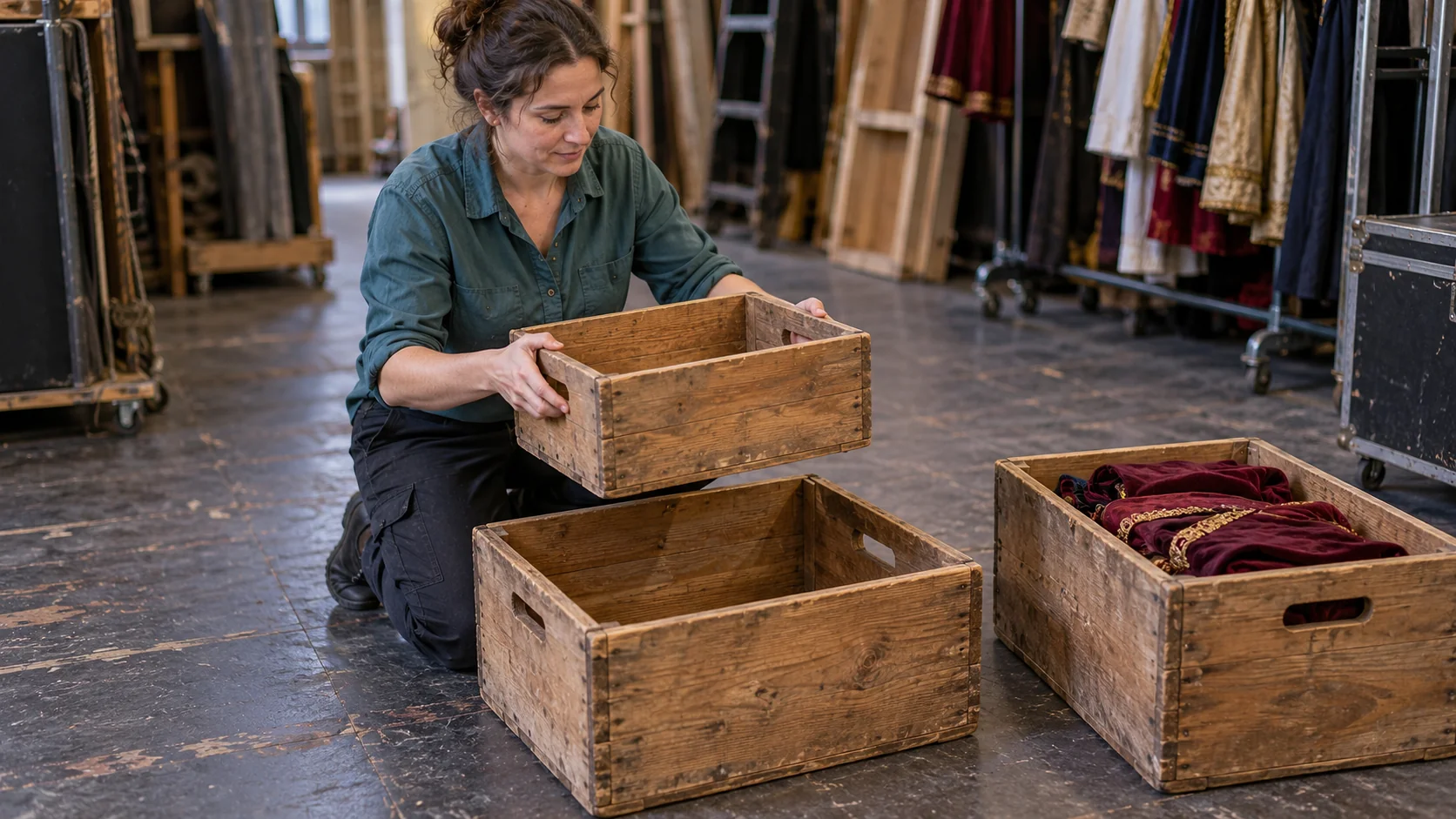
Create a separate tree for each deletion
Run this from a location where you can create a new find-delete-lab directory. Setup fails if that name already exists. Keep the destructive examples inside this generated lab; use a fresh location if you want to repeat it.
python3 - <<'PY'
from pathlib import Path

root = Path("find-delete-lab")
root.mkdir()
files = [
    "a.tmp",
    "two words.tmp",
    ".hidden.tmp",
    "keep.txt",
    "nested/b.tmp",
    "protected/keep.tmp",
    "filled.tmp/inside.txt",
]
for experiment in ["files", "wrong-order", "no-type", "empty", "prune"]:
    cache = root / experiment / "cache"
    cache.mkdir(parents=True)
    for name in files:
        path = cache / name
        path.parent.mkdir(parents=True, exist_ok=True)
        path.write_text("demonstration only\n")
    (cache / "empty" / "leaf").mkdir(parents=True)
PY
After setup succeeds:
cd find-delete-lab
Each experiment starts with the same 13 entries: seven files containing text and six directories. Trailing slashes mark directories.
cache/
├── .hidden.tmp
├── a.tmp
├── two words.tmp
├── keep.txt
├── nested/
│   └── b.tmp
├── protected/
│   └── keep.tmp
├── filled.tmp/
│   └── inside.txt
└── empty/
    └── leaf/
Use each named copy for its own experiment. A preview can precede its matching deletion because it doesn't change the tree. Don't apply all the deletion recipes to one cache. The parentheses keep each cd local to its command, so your shell stays in find-delete-lab. Run each destructive example once.
The recorded runs used native macOS 26.6.1 arm64 /usr/bin/find, /bin/sh, and CPython 3.14.7 on October 31, 2026. Each of the nine variants was executed against a newly generated tree. All nine exited 0 with empty stderr. GNU/Linux wasn't used for runtime checks; GNU's documented failure behavior is discussed separately below. These commands use extensions beyond POSIX find.
Here is the result of every recorded variant. “Remaining” counts entries inside the experiment folder, including cache itself. Every list-only run preserved the complete starting tree above.
| Variant | Printed paths | Remaining entries | Filesystem result |
|---|---|---|---|
| Selective file preview | 4 | 13 | Unchanged |
| Selective file deletion | 4 | 9 | Four files removed; protected file kept |
-delete before the tests |
5 | 0 | Entire cache removed |
Deletion without -type f |
6 | 8 | Five files removed; printed nonempty directory kept |
| Empty-directory preview | 1 | 13 | Unchanged |
| Empty-directory deletion | 2 | 11 | Empty leaf and newly empty parent removed |
| Pruning preview | 4 | 13 | Unchanged |
Pruning preview with -depth |
5 | 13 | Unchanged; protected file now printed |
| Pruning with deletion | 5 | 8 | Five files removed, including the protected file |
The complete output sets and changed inventories follow. They're sorted for comparison, so their displayed order isn't the order of filesystem operations.
Delete four files and verify the survivors
Preview regular .tmp files outside protected:
(cd files && find ./cache -depth -type f -name '*.tmp' ! -path './cache/protected/*' -print)
The complete selected set is:
./cache/.hidden.tmp
./cache/a.tmp
./cache/nested/b.tmp
./cache/two words.tmp
-type f keeps directories out of the selection, including the misleadingly named filled.tmp. Quoting *.tmp lets find perform the match; here it selects .hidden.tmp too. The negative path test rejects descendants of ./cache/protected. It still visits that subtree, and the test doesn't reject the protected directory itself. The file-type guard excludes that directory.
Keep those tests in place and add the deletion action after them:
(cd files && find ./cache -depth -type f -name '*.tmp' ! -path './cache/protected/*' -delete -print)
This printed and removed the same four files. Every directory survived, along with the three files outside the selection. The complete remaining inventory was:
cache/
cache/empty/
cache/empty/leaf/
cache/filled.tmp/
cache/filled.tmp/inside.txt
cache/keep.txt
cache/nested/
cache/protected/
cache/protected/keep.tmp
Check that inventory independently of the deletion command. From find-delete-lab, this read-only Python command lists everything left inside the files experiment, including cache itself:
python3 - <<'PY'
from pathlib import Path

root = Path("files")
for path in sorted(root.rglob("*")):
    suffix = "/" if path.is_dir() else ""
    print(f"{path.relative_to(root)}{suffix}")
PY
For the other experiments, change only Path("files") to the experiment name. An empty inventory means no entries remain inside that experiment folder.
GNU's deletion reference explains that -delete enables -depth, processing contents before their containing directory. Write -depth explicitly in the preview to use that traversal there too. On this fixed regular-file fixture, preview and removal sets matched. The empty-directory experiment below shows why that match isn't a general guarantee.
Putting -delete first removes entries before filtering
This is a deliberately broken command. Run it only against the disposable wrong-order copy created above:
(cd wrong-order && find ./cache -delete -type f -name '*.tmp' -print)
Its complete printed set was:
./cache/.hidden.tmp
./cache/a.tmp
./cache/nested/b.tmp
./cache/protected/keep.tmp
./cache/two words.tmp
The remaining inventory was empty. All seven files and all six directories, including cache, were gone. That includes keep.txt and filled.tmp/inside.txt, neither of which appeared in the output.
The find operator rules treat adjacent expressions as AND: evaluation proceeds left to right and stops when one is false. Here the deletion action comes before either file test. In the observed run, those later tests limited what was printed, after removal had already happened. By the time each directory was processed, its contents were gone and it could disappear too.
For a selection with several branches, work through the find operator-precedence guide before attaching a destructive action. Keep the action after the conditions that are meant to restrict it.
A name test can reach a directory too
The fresh no-type copy shows a different mistake: omitting the regular-file guard.
(cd no-type && find ./cache -depth -name '*.tmp' -delete -print)
The complete native macOS output was:
./cache/.hidden.tmp
./cache/a.tmp
./cache/filled.tmp
./cache/nested/b.tmp
./cache/protected/keep.tmp
./cache/two words.tmp
This selected the five regular .tmp files and the filled.tmp directory. The five files were removed. The directory was printed but stayed on disk: its child inside.txt didn't match *.tmp, so it survived and kept the directory nonempty. The complete remaining inventory was:
cache/
cache/empty/
cache/empty/leaf/
cache/filled.tmp/
cache/filled.tmp/inside.txt
cache/keep.txt
cache/nested/
cache/protected/
On the tested native macOS find, the deletion action returned true despite leaving that nonempty directory behind. The following -print ran, stderr stayed empty, and the process exited 0. Apple's published find implementation returns true from this action and suppresses the nonempty-directory warning. That supports the explanation; it doesn't identify the exact source revision shipped in the tested binary. The filesystem inventory establishes what happened here.
GNU documents a different failure result: an ordinary failed removal makes -delete false, emits an error, and makes the eventual exit status nonzero. The AND-linked -print would then be skipped for that entry. This is a documentation comparison, not a GNU runtime result.
If the task is to delete regular files, keep -type f. Check the remaining filesystem separately: appended output and exit status didn't reveal the retained directory in this native run.
Empty directories can become eligible during the run
In the fresh empty copy, preview empty directories below cache:
(cd empty && find ./cache -depth -mindepth 1 -type d -empty -print)
It prints only:
./cache/empty/leaf
At this point cache/empty contains leaf, so only the leaf qualifies. The preview hasn't changed anything. Run the deletion variant in the same empty copy:
(cd empty && find ./cache -depth -mindepth 1 -type d -empty -delete -print)
The checked output set contains two paths:
./cache/empty
./cache/empty/leaf
Removing leaf changes the next decision. When find reaches its parent, empty has become empty and qualifies as well. The parent appears first in the displayed set only because the output is sorted. The complete remaining inventory is:
cache/
cache/.hidden.tmp
cache/a.tmp
cache/filled.tmp/
cache/filled.tmp/inside.txt
cache/keep.txt
cache/nested/
cache/nested/b.tmp
cache/protected/
cache/protected/keep.tmp
cache/two words.tmp
-mindepth 1 keeps the starting cache directory out of the action, even if it becomes empty. Descendants can still qualify as their children disappear. GNU's directory traversal reference describes the depth and minimum-depth options.
The preview asked which directories were empty in the original tree. The deletion also encountered a directory made empty by an earlier removal. No other process needed to change anything for those sets to differ.
Pruning stops working when deletion changes traversal
Use the fresh prune copy to compare skipping a subtree with filtering its entries. This list-only command skips the protected subtree and prints the same four files as the first preview:
(cd prune && find ./cache -path './cache/protected' -prune -o -type f -name '*.tmp' -print)
Make the traversal depth-first while keeping this list-only:
(cd prune && find ./cache -depth -path './cache/protected' -prune -o -type f -name '*.tmp' -print)
The complete output is now:
./cache/.hidden.tmp
./cache/a.tmp
./cache/nested/b.tmp
./cache/protected/keep.tmp
./cache/two words.tmp
Both previews leave all 13 original entries in place. The extra printed path exposes the problem: with depth-first traversal, the child is visited before the pruning action reaches its parent.
Adding -delete to the original listing has the same traversal problem. This is another deliberately broken command, scoped to its disposable copy:
(cd prune && find ./cache -path './cache/protected' -prune -o -type f -name '*.tmp' -delete -print)
This printed the same five paths shown just above and removed all five files, including protected/keep.tmp. Its output also matched the wrong-order experiment, yet eight entries remained here:
cache/
cache/empty/
cache/empty/leaf/
cache/filled.tmp/
cache/filled.tmp/inside.txt
cache/keep.txt
cache/nested/
cache/protected/
The type and name tests still kept directories and .txt files out of deletion. The pruning branch failed to protect the child. The find -prune guide explains skipping descent. For this file-only cleanup, use the first experiment's negative path test to exclude protected descendants while allowing traversal. Adding a deletion action to a pruning recipe changes more than what happens to the printed matches.
Seven questions before another cleanup
Use the original tree for each question. Write the expected paths or survivor state before checking the answers.
- The selective file command removes four paths. Which three files survive, and does the now-empty
nesteddirectory survive? - The wrong-order command prints five
.tmpfiles. Arekeep.txt,filled.tmp/inside.txt, and the startingcachestill present afterward? - Without
-type f, why doesfilled.tmpappear in the native macOS output whilefilled.tmp/inside.txtstays on disk? Does status0resolve the discrepancy? - The empty-directory preview prints one path. Why does the deletion remove two, and which option excludes the starting directory from that action?
- The pruning preview hides
protected/keep.tmp. What list-only change exposes the traversal problem before you add deletion? - After the selective deletion, would running the empty-directory deletion on that already changed tree still remove only
emptyandempty/leaf? - Two runs print the same five
.tmppaths. In one, nothing remains under its experiment folder; in the other, eight entries remain. Which commands produced those results, and what evidence distinguishes them?
Answers
keep.txt,filled.tmp/inside.txt, andprotected/keep.tmpsurvive. All six directories survive, includingnested. The-type fguard keeps directories out of deletion even when removing a file makes one empty.- All three are gone. The action ran before the type and name tests. The full tree, including its starting directory, was removed; the five printed paths show only what passed the later tests.
- The name matches the directory, but its child doesn't match. The attempted directory removal leaves it nonempty. In the recorded macOS run, the deletion action still returned true, so printing continued; status
0and empty stderr didn't establish removal. Inspecting survivors did. - Removing
leafmakes its parentemptyeligible when examined later.-mindepth 1excludes the startingcachedirectory. The preview didn't make those mutations, so it saw only the initially empty leaf. - Add explicit
-depthto the preview. It then prints the protected file because children are processed before the pruning action on their parent. Deletion implicitly enables that traversal choice too. - It would remove three directories:
empty/leaf,empty, andnested. Selective file deletion has already leftnestedempty. Removingempty/leafwould still makeemptyqualify;-mindepth 1would still retaincache. This is a prediction from the commands and the recorded selective inventory, not a tenth executed variant. Each main experiment starts fresh to avoid mixing those states. find ./cache -delete -type f -name '*.tmp' -printleft nothing. The pruning command ending in-type f -name '*.tmp' -delete -printleft eight entries. The first action reached every entry; the second reached only regular.tmpfiles. The eight survivors were all six directories pluskeep.txtandfilled.tmp/inside.txt. A separate inventory distinguishes them even though their printed sets match.
Keep the decision you missed
Turn a surprising answer into a short recall prompt: “Can this directory become empty before find tests it?” or “Does this printed path prove removal on my implementation?” Answer before reopening the example, then check your reasoning. The purpose of regular recall and spaced review is long-term retention: return to the decision after a gap and practise reconstructing why it works. Still verify a destructive command against its actual target.
For broader terminal practice, Nibomo's Linux Command Line Flashcards — 100 cards in English cover general Linux foundations, including quoted -name patterns and -type f. The public details page describes the deck; it isn't specific to find -delete. All seven exercise answers are available above, and the deck is optional practice.
If the next cleanup also needs an age condition, work through find -mtime separately before adding it to the file selection. Keep the final preview and survivor check tied to the exact command and tree you intend to use.
Disclosure: Nibomo publishes this site and offers the linked deck in its own catalog. AI assisted substantially with research, drafting, editing, fixture execution, and exercise construction; the illustration is AI-generated. Runtime evidence covers nine command variants on disposable native macOS trees on October 31, 2026. GNU documentation was consulted; no GNU/Linux runtime execution, human editorial review, or learning-outcome study is claimed. The lab didn't test symlinks, concurrent changes, ACL or permission failures, or network filesystems. -delete, -empty, and -mindepth are extensions, so these commands aren't POSIX-only recipes.